
The Ultimate Repost for Instagram App Guide
In the vibrant world of social media, Instagram stands out as a premier platform for sharing visually stunning content. Whether you are an influencer, a small business, or just someone who enjoys sharing their daily life, reposting content from users you admire can enhance your Instagram profile and give credit to original creators. This is where the repost for instagram app comes into play, offering a seamless way to share posts while respecting copyrights.
Why Use Reposting Apps?
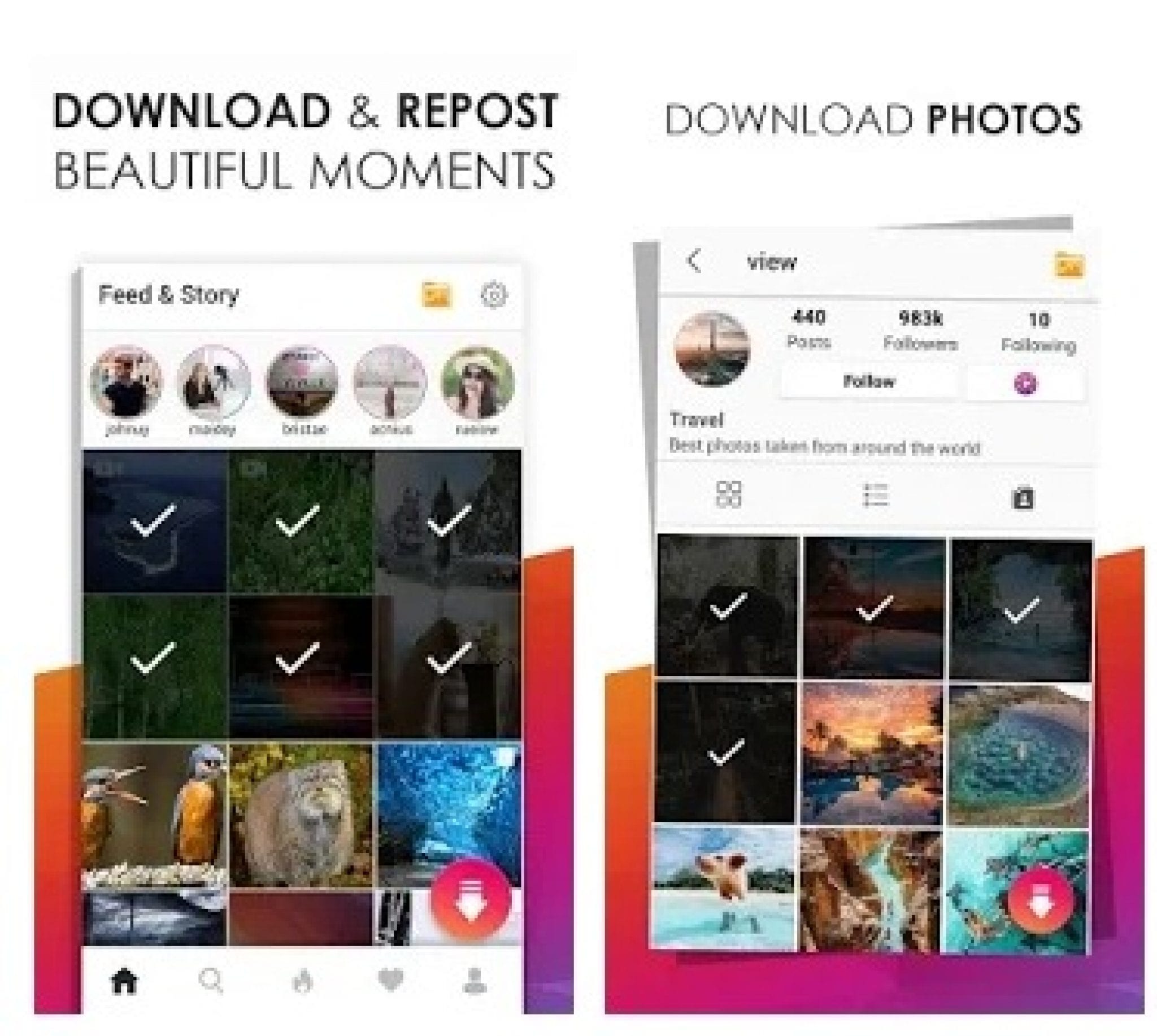
Reposting apps serve several purposes for Instagram users. They provide users with tools to easily share posts from others while ensuring that the original creators receive credit. Furthermore, reposting helps you engage with your audience by sharing content that aligns with your brand or personal aesthetic. A reposting app serves as an intermediary that simplifies this process, especially for users who may not have the technical know-how to share content properly on their own.
Features of the Repost for Instagram App
The Repost for Instagram app boasts a variety of features tailored to enhance the reposting experience. Here are some of its standout functionalities:
- User-Friendly Interface: The app is designed with simplicity in mind, allowing users to navigate easily and find content worth reposting.
- One-Click Reposting: With just one click, users can repost photos and videos to their own Instagram feed or stories without any hassle.
- Attribution Options: The app ensures that attributing the original creator is easy, giving users the option to include watermarks or credits seamlessly.
- Multi-Account Support: For those managing multiple Instagram accounts, the app allows easy switching between profiles.
- Content Discovery: The app often includes features that help users discover trending and relevant content within the community.
How to Use the Repost for Instagram App
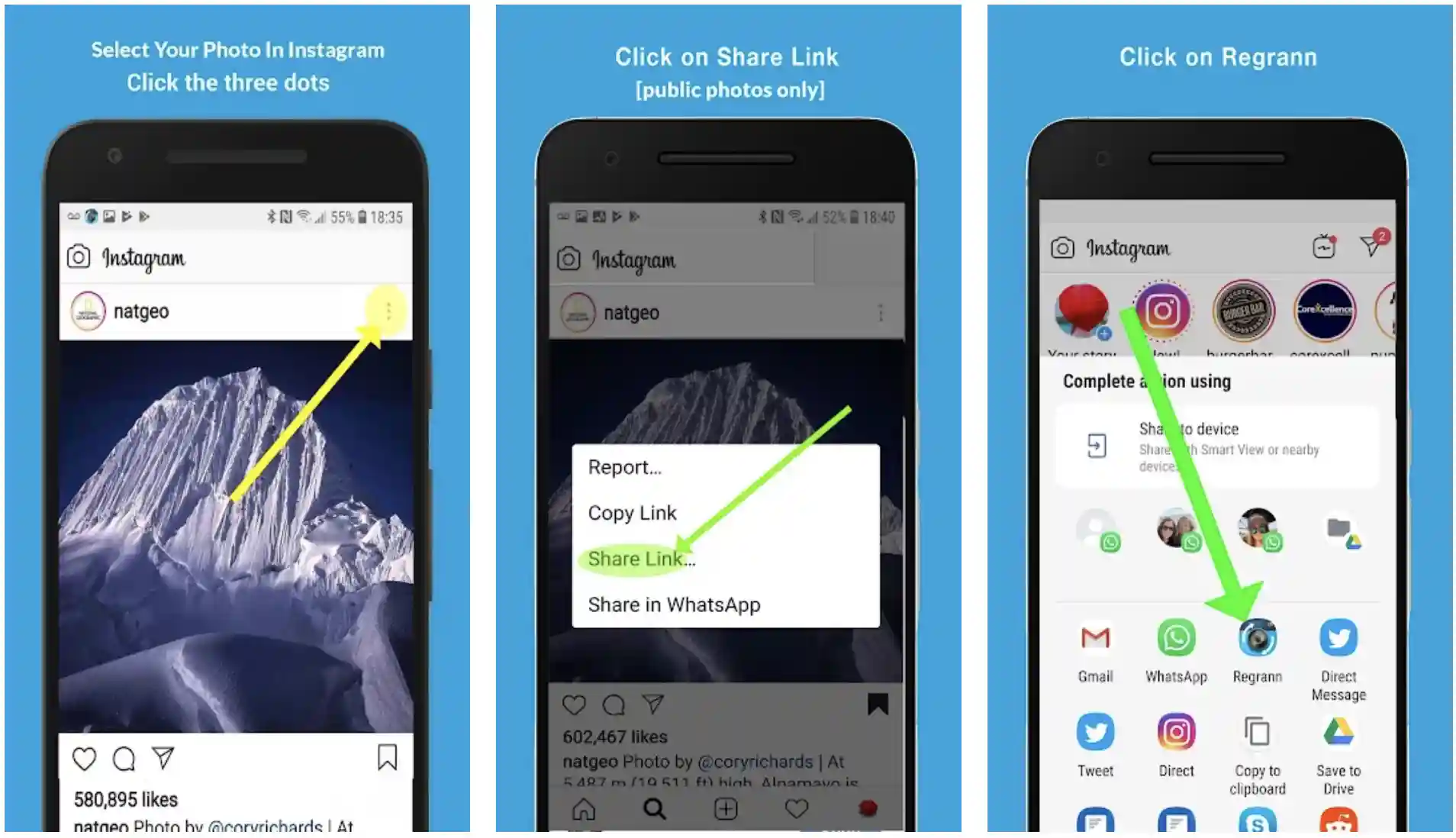
Utilizing the Repost for Instagram app is a straightforward process. Here’s a step-by-step guide to help you get started:
- Download the App: First, download the Repost for Instagram app from the App Store or Google Play, depending on your device.
- Open Instagram: Log into your Instagram account and find a post you wish to share.
- Copy Link: Tap the three dots at the top right corner of the Instagram post and select “Copy Link.”
- Open the Repost App: Launch the Repost for Instagram app, and it will automatically recognize the copied link.
- Select Repost Options: The app will display the post along with options for attribution. Choose your desired settings.
- Repost to Instagram: Click the repost button, and the post will be ready for sharing on your profile or story!
Best Practices for Reposting
While reposting can be a great way to engage with your audience, it’s important to do it thoughtfully. Here are some best practices:
- Ask for Permission: Whenever possible, reach out to the original creator for permission to repost their content, especially if it’s a personal image or video.
- Give Credit: Always ensure that you are acknowledging the original creator in your repost to maintain respect within the Instagram community.
- Stay Relevant: Only repost content that aligns with your personal brand or the message you want to convey to your audience.
- Avoid Overdoing It: While it can be tempting to repost frequently, ensure a good balance between original content and reposted material.
Benefits of Reposting
Reposting offers several benefits that can help enhance your Instagram experience. Some of these advantages include:
- Building Community: Sharing content from other users fosters a sense of community and can help you connect with like-minded individuals.
- Content Variety: Reposting allows you to diversify the types of content on your profile, offering more engaging and dynamic posts to your followers.
- Saves Time: Instead of creating new content from scratch, reposting saves time while keeping your feed active and appealing.
Conclusion
The Repost for Instagram app is an invaluable tool for anyone looking to enhance their Instagram presence. By offering a simple way to share content while ensuring that creators are credited, this app enriches the Instagram experience. As you explore the features and best practices discussed in this guide, you’ll find that reposting can be a powerful addition to your social media strategy. Whether you are an influencer, a brand, or just an enthusiastic user, utilizing the reposting functionality responsibly can help you connect with your audience and build a more engaging online community.